
Creating a redirect
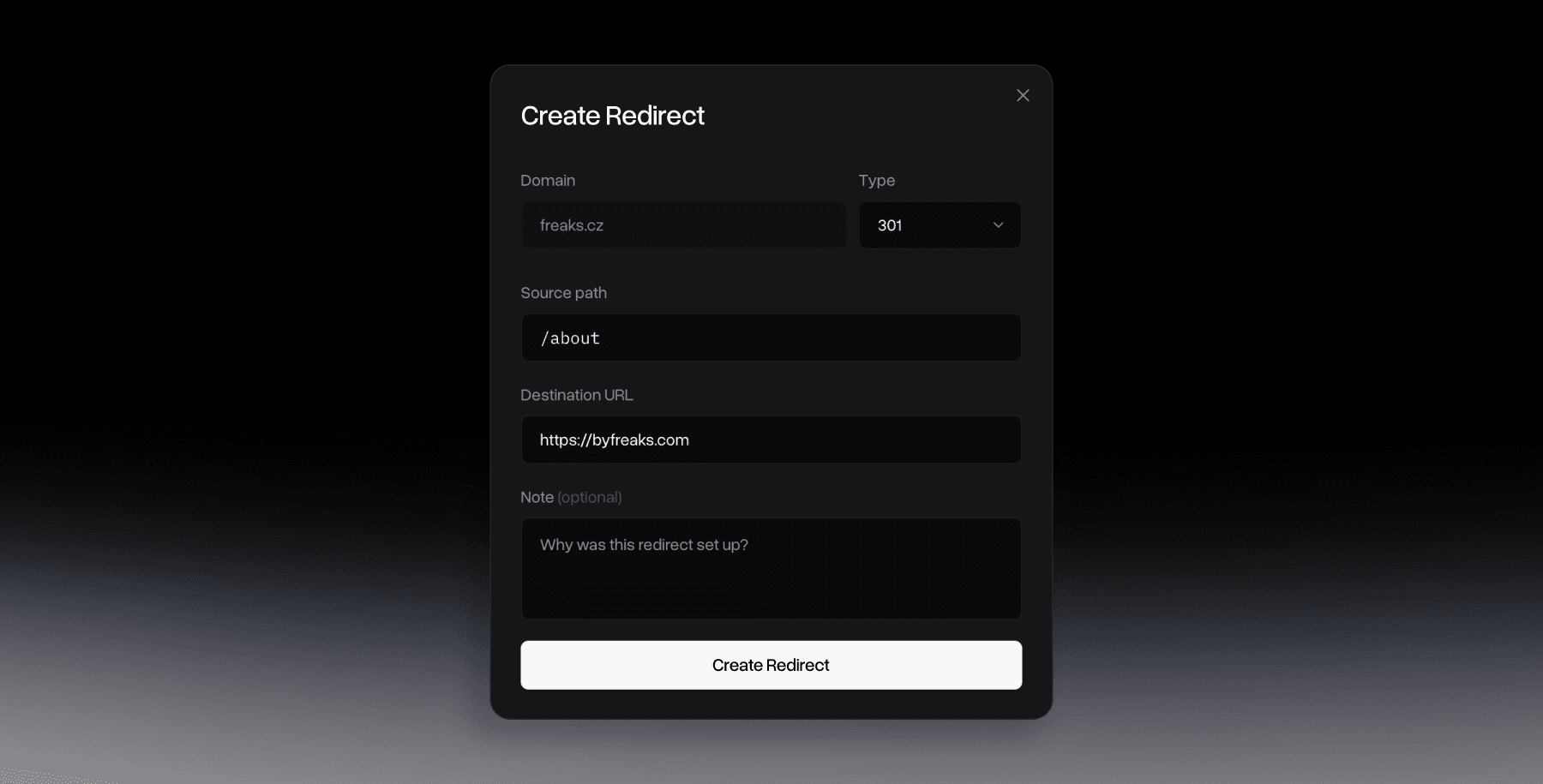
Every redirect starts from the same inline form on a domain's page: a type dropdown, an Old URL field, a New URL field, and a note button. No separate "advanced" mode, wildcards and global rules use the same form.
The create form
Pick a Type (301, 302, 307, or 308, defaults to 301), enter the Old URL you're redirecting from, and the New URL you're sending visitors to. Click Create Redirect and it's live immediately. For a full breakdown of when to use each type, see Redirect Types.
Global vs Path
Every rule is automatically labeled Global or Path, there's no dropdown to pick this yourself. Type * alone into Old URL and it becomes a Global rule, a catch-all for the whole domain. Type anything else, a specific path or a wildcard pattern, and it's a Path rule. (When editing a rule, there's also a "Global fallback" checkbox that fills in * for you.) More on catch-all setups: Global Redirects.
Matching paths: exact or prefix
Old URL supports two styles. An exact path like /about only matches that one URL. Adding a trailing wildcard, /blog/*, matches that path and everything under it, /blog/post-1, /blog/post-2/comments, and so on.
See Path Redirects for more examples.
Wildcard destinations
New URL can include a wildcard too. Pair a prefix rule like /blog/* with a destination like https://newsite.com/*, and whatever was captured after /blog/ gets carried over automatically, so /blog/post-1 lands on https://newsite.com/post-1 without writing a rule for every single page.
Adding a note
The sticky note icon next to New URL opens a small field: "What's this redirect for?" It's optional and purely internal, a way to remind yourself (or a teammate using the same account) why a rule exists. You can add or edit a note at creation or anytime later from the edit view, it shows up both in the rule's detail panel and in the table's Note column.
Priority, validation, and defaults
Priority order
When a request comes in, Redirect Supply checks for an exact path match first, then a prefix (wildcard) match, and only falls back to a Global * rule if nothing more specific matched. A Path rule always wins over a Global rule on the same domain.
Validation
Old URL is saved as typed, no leading slash is enforced, but * alone always means Global. You can't create two rules for the same path on one domain, you'll see "A rule for this path already exists." New URL must be a full URL including https://, a relative path won't be accepted.
Force HTTPS and www handling
Both are automatic and always on, there's nothing to configure. Every redirect you create already upgrades HTTP to HTTPS and handles www/non-www for you, so you don't need to think about it.